




01
Proprietary Hardware Costs
Commercial systems with specialized devices can carry high procurement and maintenance costs for regional government needs.
A Queue Calling System that connects touchscreen kiosks, queue displays, counter call devices, and a management dashboard in one real-time flow. Hardware and software are designed together to be adaptable to public service needs with different counter and service category configurations.
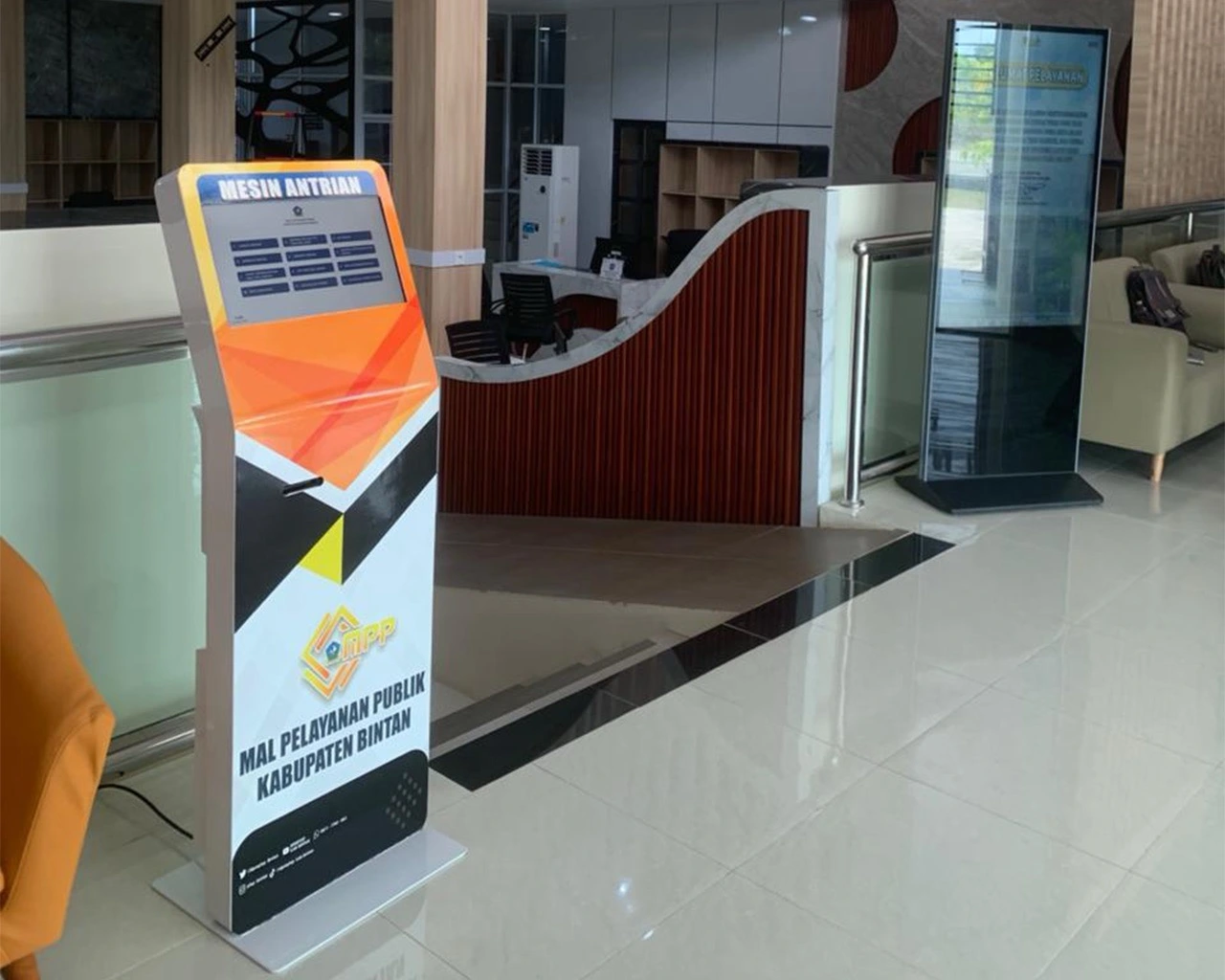
QCS was developed for queue management in public service environments that require a more flexible system than proprietary queue machines. Each implementation can adjust service categories, number of counters, agency identity, and the devices used at the location.
A queue system for public services needs to remain easy for visitors to understand, simple for staff, and flexible enough for various agency configurations. Rigid proprietary solutions can also make hardware costs and vendor dependency significantly higher.
Commercial systems with specialized devices can carry high procurement and maintenance costs for regional government needs.
Without a continuously updated display, visitors struggle to understand which number is being called and which counter is serving.
Vendor lock-in can restrict the use of monitors, printers, or common devices when system configuration changes.
The number of counters, service types, tenants, branding, and supervision needs differ at each implementation location.
Solunesia developed QCS from the device layer to the application. Touchscreens at the entrance, counter call devices at each counter, public displays, and the management dashboard all operate on the same queue state so changes are instantly visible at every point.
Microcontroller-based devices are used on the counter side and connected to the staff workstation. Displays can use standard TVs or monitors, while real-time communication keeps queue changes synchronized without requiring proprietary devices at every point.
Visitors select a service category from the kiosk and receive a queue number based on the available services.
Staff can call the next number, recall, or go back to the previous number from a physical device.
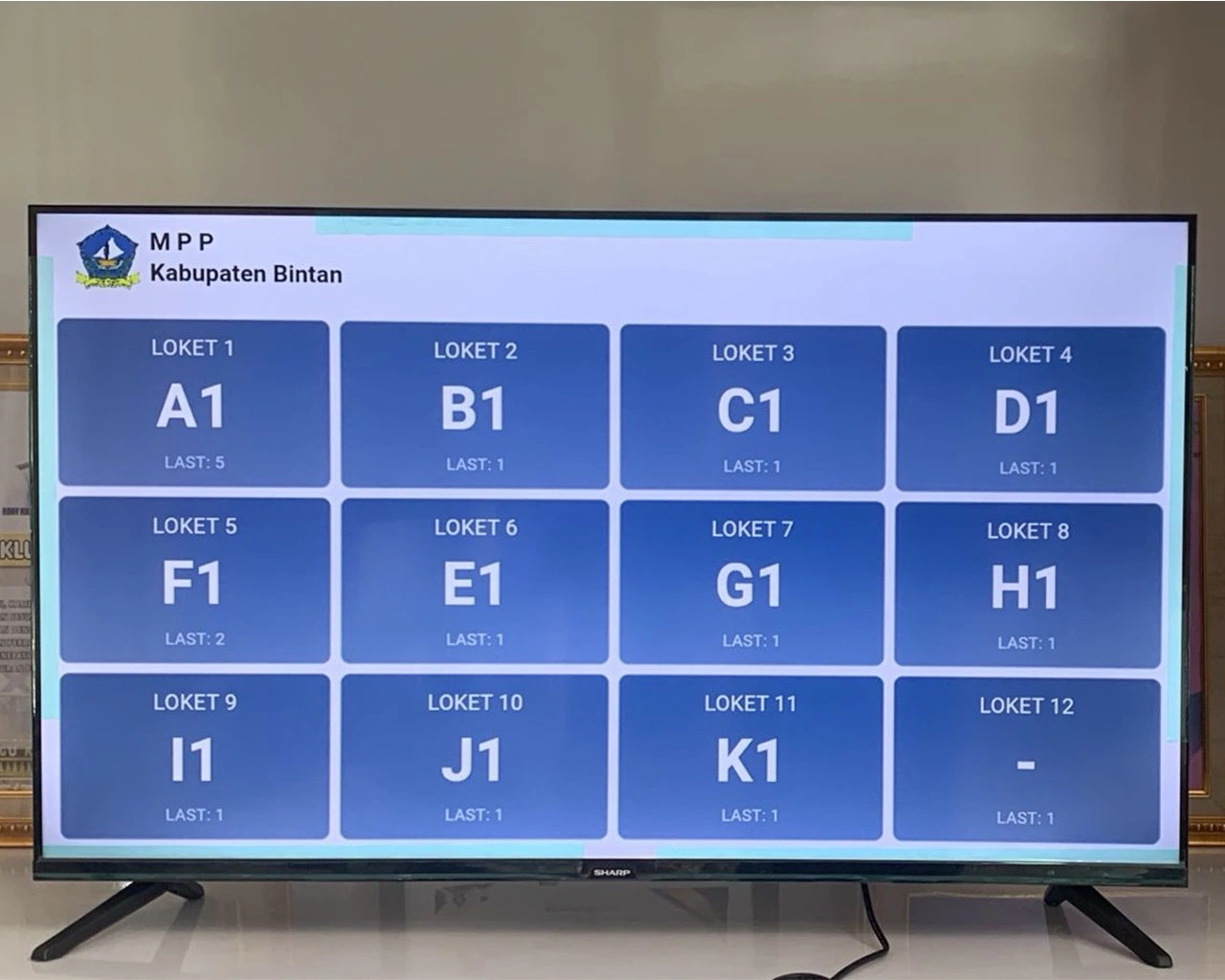
A TV or monitor shows queue numbers and active counters based on changes received in real time.
Supervisors can view counter status, open or close services, and manage operational configuration.
Four core components work as one system. Visitor-side and staff-side devices are built to follow the same operational flow as the displays and dashboard.
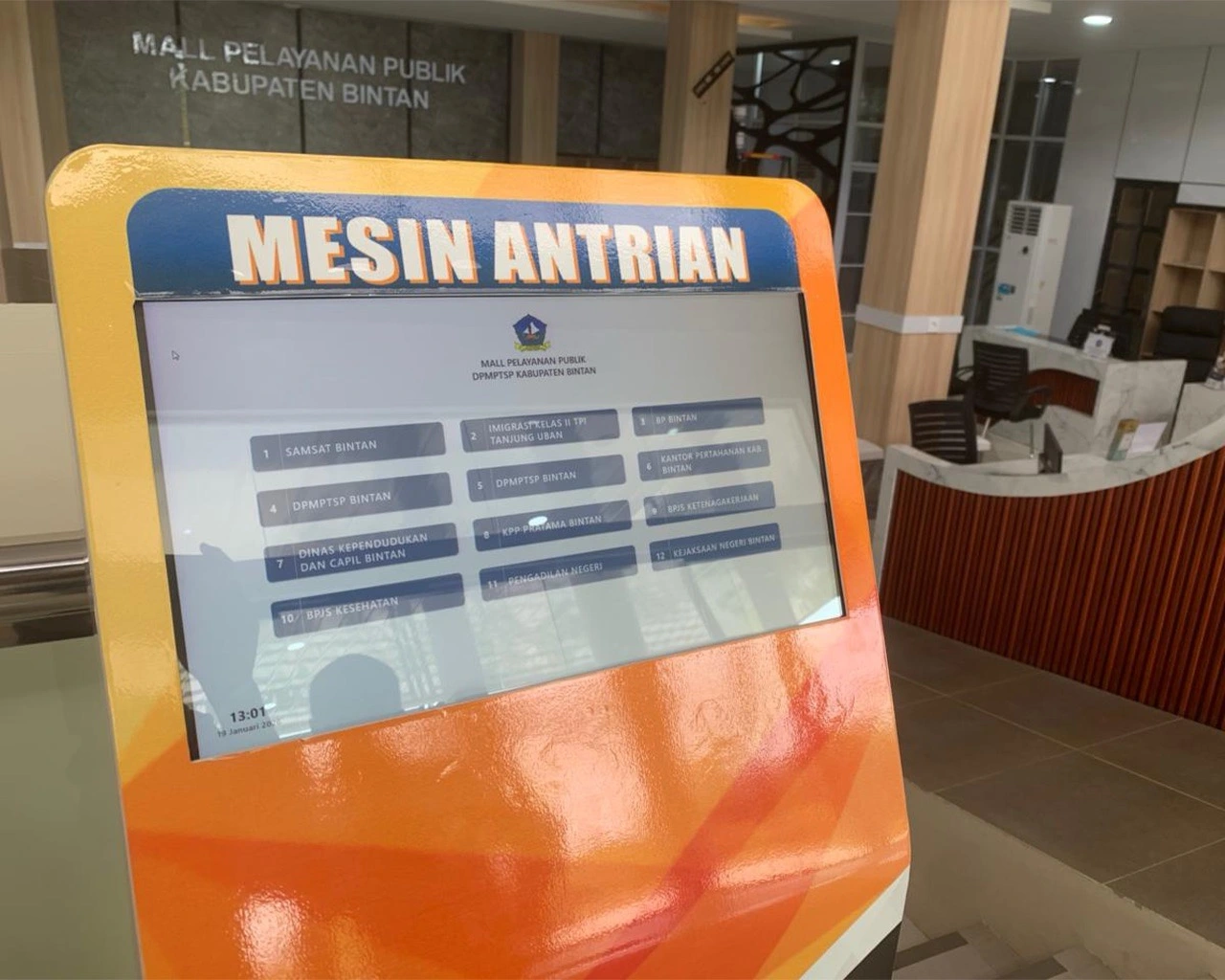
The kiosk is placed at the entrance and displays available service categories. Each implementation can have more than 12 service categories and different tenant branding.
The public display shows the relationship between queue numbers and the counter currently serving. Changes are sent in real time and can be shown on a connected TV or monitor.
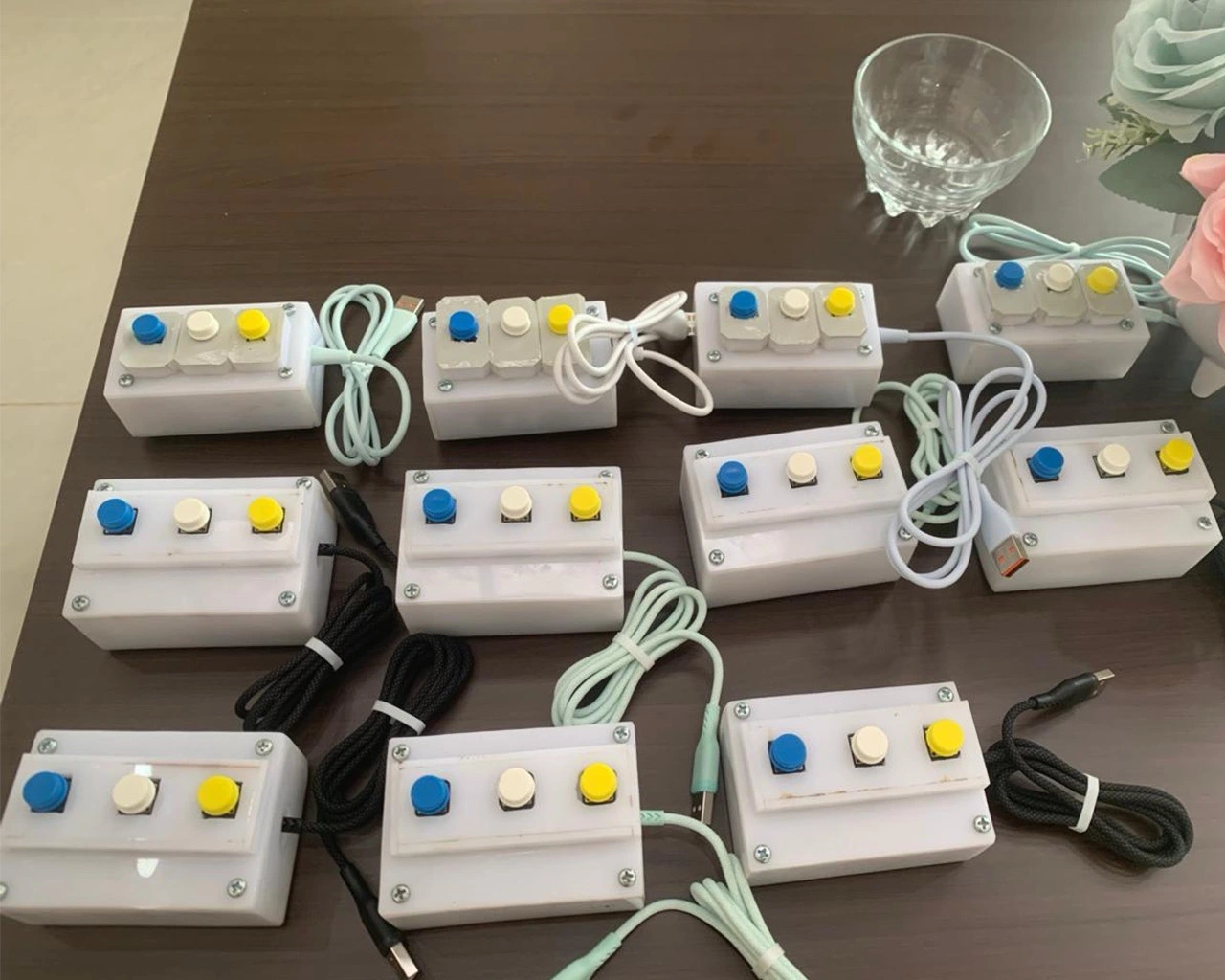
A microcontroller-based device is placed on the staff desk and connected via USB to the workstation. Physical controls are kept simple so staff do not need to switch applications for basic calling functions.
Every queue change runs through the same state. Number taking, counter calling, and display updates are not processed as separate systems.
Visitors select a service via the touchscreen kiosk.
The number is stored by service type and queue status.
The counter device sends an action from the active counter.
WebSocket pushes changes to the queue screens.
QCS configuration is tailored to each agency's needs. Differences in counter count, service categories, tenants, and visitor characteristics are not forced into one identical configuration.
DPMPTSP Bintan Regency
Implementation for 12 counters from various service tenants including Samsat, Immigration, Civil Registry, BPJS, Tax Office, Prosecutor's Office, and other services.
Outpatient Services
The queue system is used in patient service areas to make the calling flow at outpatient counters easier for visitors to follow.
Riau Islands Province
Supports queuing for religious affairs services, including certification processes, marriage registration, and hajj administration.
Population Administration
Used for ID card, family card, birth certificate, and population administration processes with counter assignment based on service type.
The integration of devices and applications makes the queue flow easier to monitor for both visitors and staff. The system can also be deployed across multiple types of agencies without depending on one proprietary hardware configuration.
Active numbers and serving counters are visible on a continuously updated display.
TVs, monitors, workstations, and microcontroller-based devices can be combined as needed per location.
Service categories, tenants, branding, and counter assignments can differ at each implementation.
Actions from the kiosk and counters are instantly reflected in the queue state and public displays.
Start with the number of services, counters, queue patterns, existing devices, and visitor issues in the waiting area.
We help define the roles of kiosks, displays, counter devices, local networks, and the dashboard that are actually needed.
Once the operational flow is clear, hardware configuration, software, and implementation phases can be structured more effectively.