



Tanjungpinang
2 operational areas, including Kopiway HQ.
An integrated system connecting production, inventory, stock distribution, retail transactions, B2B sales, finance, and dozens of operational carts across multiple areas in the Riau Islands.
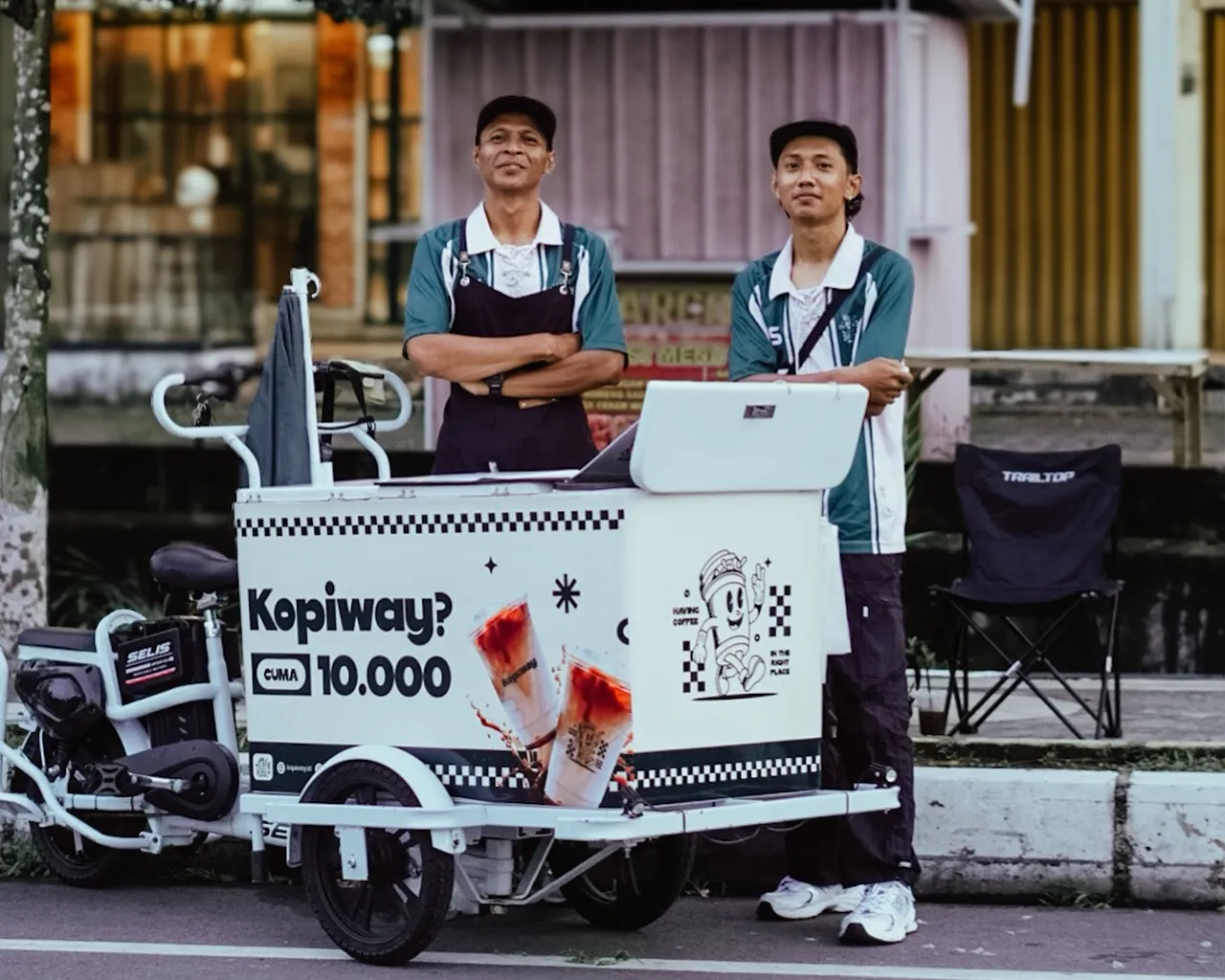
Kopiway runs a coffee chain operation with central production, retail sales, B2B channels, and more than 50 operational carts. Activities are spread across several areas in the Riau Islands, so production, stock distribution, transactions, and reporting need to follow a consistent data flow.
2 operational areas, including Kopiway HQ.
1 operational area.
2 operational areas.
1 operational area.
As operational points grow, manual work makes production, stock distribution, cart transactions, and financial reports increasingly difficult to monitor as a single process.
Raw materials, roasting results, finished products, and yield need to be recorded as one production chain.
Dozens of sales points produce transactions that still need to enter the central system without manual recap.
Demand, distribution, and stock positions need to be visible from the same data source across all areas.
Retail, B2B, payroll, expenses, and settlement need to be summarized without manually merging many files.
Solunesia built a custom ERP as the operational hub and connected it with POS at various sales points. The system unifies production, inventory, purchasing, sales, finance, and reporting without forcing teams to change their entire way of working in the field.
Production and inventory are managed from the center, then stock distribution and transactions from outlets and carts are recorded back into the ERP. With this pattern, management can see operational activity without waiting for recaps from each point.
Raw materials, recipes, production output, and stock use the same operational data.
Outlets and carts use POS adapted per location and stay connected to the central ERP.
Wholesale sales have customer-specific pricing and receivable tracking without mixing with retail transactions.
Expense, settlement, receivables, journals, and reports use transactions already in the system.
The operational flow starts from raw materials and production, then moves to stock distribution and sales at various points. Each stage stays recorded so product positions and production output are easier to trace.
Purchase orders and goods receipts update raw material stock.
Recipe/BOM, production run, yield, roasting, and packaging.
Products are delivered based on area and operational point needs.
Outlets, carts, and B2B return transaction data to the central system.
More than 40 modules are grouped by work function so operations and management teams can more easily understand their roles within the system.
POS is used at outlets and operational carts with catalogs, pricing, and location settings that match. Transactions go directly to the central ERP so they don't need to be re-recapped.
Retail and B2B sales use different workflows but remain within the same system. Retail focuses on transactions per operational point, while wholesale handles customer pricing, receivables, and payment history.
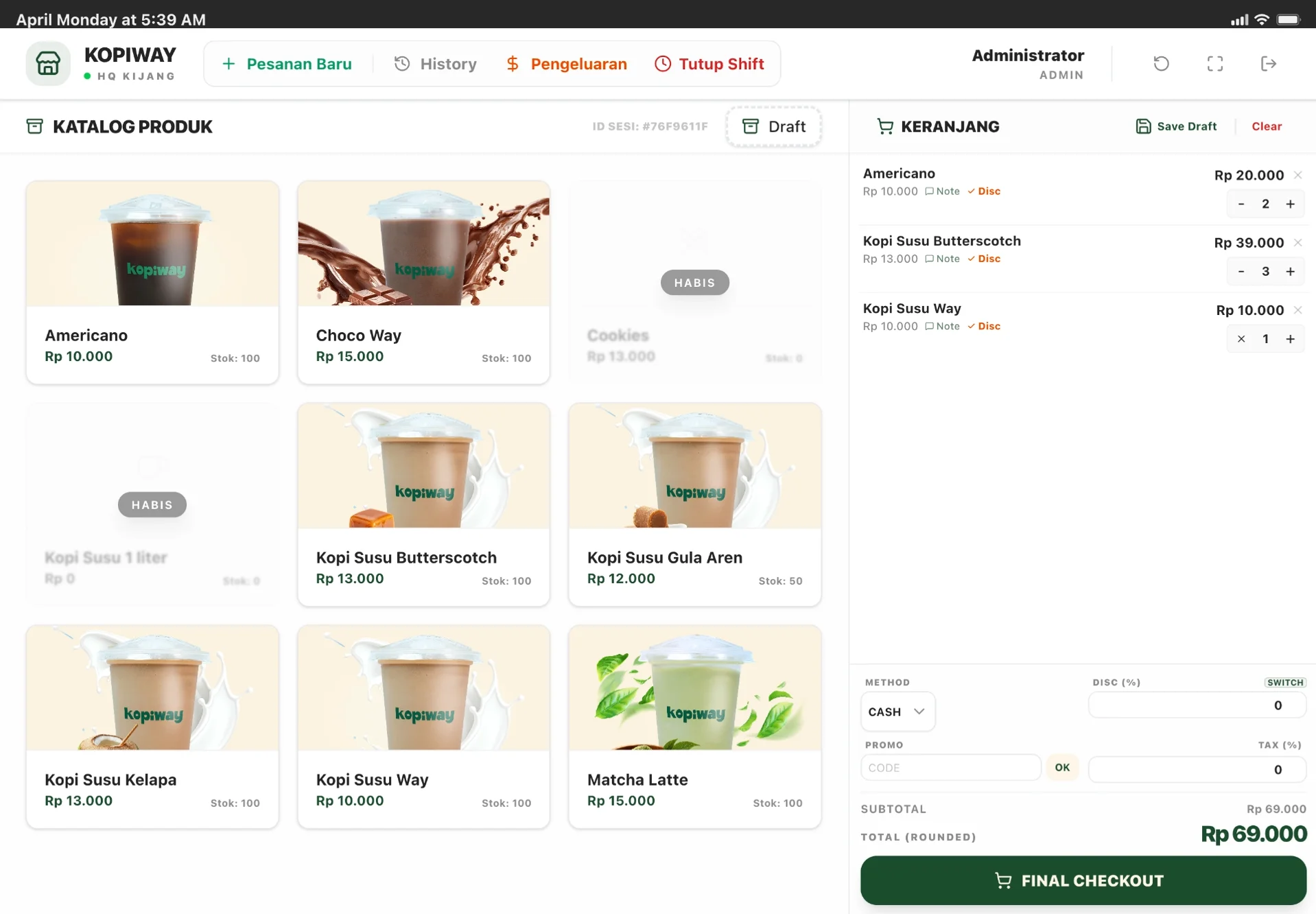
After the system is in use, production, distribution, transactions, stock, and reporting can be read as a single operational chain even though work points are spread out.
Raw materials, production runs, yield, and output are recorded through the same flow.
Transactions from more than 50 carts enter the central ERP without manual recap per point.
Demand, distribution, and stock opname use the same data source.
Retail, B2B, settlement, inventory, and finance can be summarized from the same system.
Start from production, stock, distribution, outlets, sales points, and processes still done manually.
We help identify processes that need to be connected, automated, or simplified.
Once requirements are clear, technical approach and implementation phases can be structured more effectively.